
Smartiflix IPTV Guide – Setup Made Simple
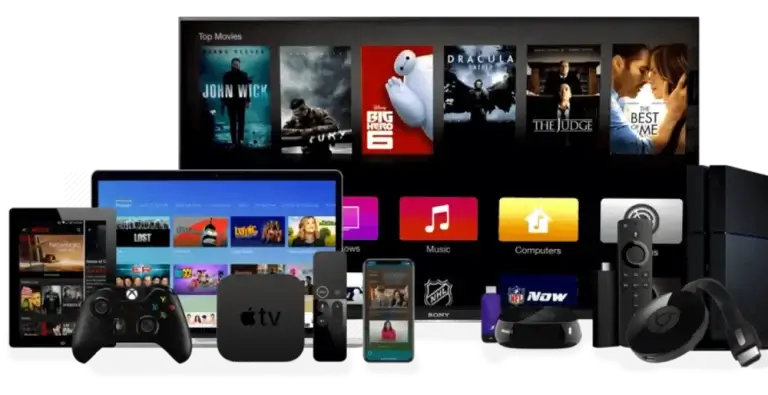
Welcome to the Smartiflix IPTV Guide, your complete walkthrough for setting up and enjoying a premium IPTV subscription in minutes. Whether you’re using a Smart TV, Android Box, Firestick, or smartphone, this guide helps you install and activate Smartiflix IPTV quickly and easily for live TV, movies, sports, and entertainment.
- 15+ Devices Supported
- 5-15 Minutes Setup
- 24/7 Support Available
Device Setup Instructions
Below, pick your device for a step-by-step installation guide.
- Smart TV Setup (Samsung, LG, Sony, etc.)
Install IPTV App
Search for "Smart IPTV" or "IPTV Smarters" in your Smart TV’s app store and proceed to download and install.
On Samsung TVs, opt for Smart IPTV. For LG TVs, choose IPTV Smarters or SS IPTV.
Configure M3U URL
Open the IPTV app, navigate to settings, and enter your Smartiflix IPTV M3U playlist URL.
Add EPG (Optional)
To activate the TV guide, enter your EPG URL in the app’s settings.
Start Watching
Relaunch the app to enjoy Smartiflix IPTV channels as the playlist loads automatically.
- Amazon Firestick Setup
Install IPTV Smarters
Navigate to the Amazon App Store, look up "IPTV Smarters Pro," and proceed to download and install the application.
You can alternatively use Tivimate or Perfect Player available in the App Store.
Add Playlist
Start IPTV Smarters, click "Add Playlist," and pick the "M3U URL" setting.
Enter Details
Provide the essential data:
Enjoy Streaming
Click "Add Playlist" and wait for the channels to appear. Explore with your Firestick remote.
- Android Device Setup
Download IPTV App
Go to the Google Play Store and install any of these recommended apps:
IPTV Smarters Pro (Recommended)
TiviMate IPTV Player
Perfect Player IPTV
Configure Playlist
Launch the app and opt for "Add New User" or "Add Playlist." Provide your Smartiflix IPTV information.
Optimize Settings
To improve functionality on Android devices:
Enable hardware acceleration
Set buffer size to 10-15 seconds
Use external video player if available
Start Streaming
Channels will automatically load. Browse and stream content using the app’s interface.
- iOS Device Setup (iPhone/iPad)
Install IPTV App
Obtain one of these apps directly from the App Store.
IPTV Smarters Pro
GSE Smart IPTV
nPlayer
Add M3U Playlist
Open the app and search for the "Add Playlist" or "Remote Playlist" feature. Input your M3U URL.
Configure EPG
Add your EPG URL to activate TV guide functions. This step is optional but recommended.
Enjoy on iOS
Ensure the playlist loads fully before watching. Alternatively, AirPlay allows casting to Apple TV.
- MAG Box Setup
Access System Settings
Navigate to Settings → System Settings → Server with your MAG remote.
Enter Portal URL
Replace the existing portal URL with the Viking IPTV portal URL found in your welcome email.
Be certain to include the entire portal URL with http://
Restart MAG Box
Save your settings and restart your MAG box to implement the changes.
Activate Service
Your MAG box will automatically connect to Smartiflix IPTV servers and show the channel list.
- Enigma2 Setup (Dreambox, VU+, etc.)
Access Web Interface
Open your web browser and enter the IP address of your Enigma2 device in the URL bar (e.g., http://192.168.1.100).
Upload M3U File
Go to the bouquet section and either upload your Smartiflix IPTV M3U playlist file or insert the M3U URL.
Convert to Bouquet
The built-in converter can be used to convert the M3U playlist into the Enigma2 bouquet format.
Reload Services
To see your Smartiflix IPTV channels in the channel list, reboot your Enigma2 device or refresh the services.

Smartiflix IPTV provides access to 25,000+ live TV channels and a huge library of 100,000+ VOD content. Enjoy a reliable IPTV service with secure payment options and dedicated 24/7 customer support whenever you need assistance.
Explore
Legal
© 2026 Smartiflix IPTV. All rights reserved.
